Skip to content
View in the app

A better way to browse. Learn more.

Ultimate Subaru Message Board

A full-screen app on your home screen with push notifications, badges and more.

To install this app on iOS and iPadOS
  1. Tap the Share icon in Safari
  2. Scroll the menu and tap Add to Home Screen.
  3. Tap Add in the top-right corner.
To install this app on Android
  1. Tap the 3-dot menu (⋮) in the top-right corner of the browser.
  2. Tap Add to Home screen or Install app.
  3. Confirm by tapping Install.

New here from South Australia

Featured Replies

Hello, I am JP


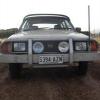
I have a 1984 2nd gen Leone as a daily which I have owned for over a year now. It is a work in progress and there is a lot I plan to do with it over time.

I chose it because I wanted something reliable, cheap to run and with 4wd.


JI4MehU.jpg?1

  • Author

It was a fun road to drive. A lot of big guys had their fun earlier so the ruts were very deep in some places but it got through ok.

  • 4 weeks later...

Everything in Australia has a massive bumper guard.  codswalloping Kangaroos.  Always ruining the day.

Please sign in to comment

You will be able to leave a comment after signing in

Sign In Now

Account

Navigation

Search

Search

Configure browser push notifications

Chrome (Android)
  1. Tap the lock icon next to the address bar.
  2. Tap Permissions → Notifications.
  3. Adjust your preference.
Chrome (Desktop)
  1. Click the padlock icon in the address bar.
  2. Select Site settings.
  3. Find Notifications and adjust your preference.