September 29, 201510 yr Okay well it's been around 4 months since I put my Weber on and I'm finally at the point of tuning it because it idles and runs great untell I try to get on it I have no power .so today I was looking at it and I notice my secondary does not open when my car is running unless I do it by hand then it works I thought maybe my throttle cable is loose but it's not so I had my father go in with the car off and push down the gas pedal and it opened the secondary barrel so I'm at a loss trying to Google it came up with nothing . So if any of you have an idea I'm all ears
September 29, 201510 yr It doesn't make sense to me. The action of the 32/36 is mechanical. Maybe you have blocked jets? Take the air filter off. Start the car. Look down the barrels when revving it and see if both barrels are operating ok. If so you then might have a tuning issue in other areas.
September 30, 201510 yr The Throttle cable might Not be hooked properly ... ... which explains the lack of enough Movement to open the secondary. Did you used the Weber's Throttle cable's Bracket? Kind Regards.
October 1, 201510 yr Author Got it yay lol so this is what a Weber is supposed to feel like.it turned out to be the throttle return spring blocking it from opening all the way thanks loyale 2.7 turbo for the pics you had sent me earlier and thanks everyone else I love this forum
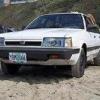
October 1, 201510 yr ... thanks loyale 2.7 turbo for the pics you had sent me earlier ... You're Welcome! Post photos of your Subie and its Weberized Engine, We love Photos here ... ... Kind Regards.

Please sign in to comment
You will be able to leave a comment after signing in
Sign In Now