Skip to content
View in the app

A better way to browse. Learn more.

Ultimate Subaru Message Board

A full-screen app on your home screen with push notifications, badges and more.

To install this app on iOS and iPadOS
  1. Tap the Share icon in Safari
  2. Scroll the menu and tap Add to Home Screen.
  3. Tap Add in the top-right corner.
To install this app on Android
  1. Tap the 3-dot menu (⋮) in the top-right corner of the browser.
  2. Tap Add to Home screen or Install app.
  3. Confirm by tapping Install.

78' Brat

Featured Replies

Recently bought myself a project. A 78' Subaru Brat. I bought it for a very decent price for what I got. It needs a lot of work on the body, but it runs very well.

The progress is going well and I plan on running it stock until I get the money to put parts into it.


Future plan (after stock); an engine swap to an EE20 (boxer diesel) and air bag suspension so that I can bring it back up to stock height from a lowered stance (not tucked or cambered)


I'm stuck on what color and after market rims to go with. I would stick with the stock rims but it's hard to find tires for 13' rims. Any suggestions?


post-61943-0-78923700-1456722336_thumb.jpg

post-61943-0-30174000-1456722342_thumb.jpg

post-61943-0-59241800-1456722406_thumb.jpg

post-61943-0-89329700-1456722409_thumb.jpg

post-61943-0-38017300-1456722418_thumb.jpg

Edited by Grimly

Love your EE20 idea! Have you seen boxeer.com?


An EE20 is also 40mm shorter than an EJ I believe so should fit nicely.


I'd love an EE20 swapped 6-speed third gen touring wagon as a daily driver, would cost so little to run!

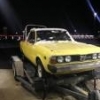
I know all about that rust life with these old Subaru s Good luck and sweet plan. 

Please sign in to comment

You will be able to leave a comment after signing in

Sign In Now

Account

Navigation

Search

Search

Configure browser push notifications

Chrome (Android)
  1. Tap the lock icon next to the address bar.
  2. Tap Permissions → Notifications.
  3. Adjust your preference.
Chrome (Desktop)
  1. Click the padlock icon in the address bar.
  2. Select Site settings.
  3. Find Notifications and adjust your preference.