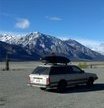
September 26, 20178 yr Hi there! My name is Brian, for years I've wanted to own an older Subaru wagon and do all the maintenance myself, try to keep the car alive for as long as I can by my own hand if possible. Fate finally threw me a bone and I found a 1987 4WD Subaru GL Wagon on the local classifieds site here, in pretty good condition and so I've decided it's time to go for it. I know the car needs some work and so I've been lurking the old gen threads looking at some really helpful posts and decided I want to be more than just a lurker. I'll probably be posting now and again as I do work, trying to share pictures, but honestly I've got a lot to learn. and so far this seems like a great place for that. Hope my questions can lead to some useful and helpful threads. Thanks! Brian Tayor
September 26, 20178 yr Welcome! ... ... Greetings from the Caribbean, Honduras. Share Photos from your Subie with us.

Please sign in to comment
You will be able to leave a comment after signing in
Sign In Now