Skip to content
View in the app

A better way to browse. Learn more.

Ultimate Subaru Message Board

A full-screen app on your home screen with push notifications, badges and more.

To install this app on iOS and iPadOS
  1. Tap the Share icon in Safari
  2. Scroll the menu and tap Add to Home Screen.
  3. Tap Add in the top-right corner.
To install this app on Android
  1. Tap the 3-dot menu (⋮) in the top-right corner of the browser.
  2. Tap Add to Home screen or Install app.
  3. Confirm by tapping Install.

Mostly Original 78’ Wagon Spotted

Featured Replies

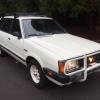
I went to look at a Brat the other night and spotted this in his garage, mostly original survivor!

6C06702C-6FB3-434F-B7B6-09278CA24A4A.jpeg

19A5B8EE-5207-491A-BD2B-0B383E8F1674.jpeg

5D4AC354-D0DD-4623-BCDE-45E6040E500D.jpeg

B21E2211-A17D-47C0-8F25-636725B31E2B.jpeg

9A3CF52E-0F0F-4211-B3FE-E93E33088C89.jpeg

6DA537E1-29AC-4AD5-B3D3-5824E57F4FEF.jpeg

very impressive that the cargo area on that wagon still has all it's plastic intact, not a crack.

same goes for the dash, that vehicle has never been out in the sun for longer than 24hours.

Please sign in to comment

You will be able to leave a comment after signing in

Sign In Now

Account

Navigation

Search

Search

Configure browser push notifications

Chrome (Android)
  1. Tap the lock icon next to the address bar.
  2. Tap Permissions → Notifications.
  3. Adjust your preference.
Chrome (Desktop)
  1. Click the padlock icon in the address bar.
  2. Select Site settings.
  3. Find Notifications and adjust your preference.