Skip to content
View in the app

A better way to browse. Learn more.

Ultimate Subaru Message Board

A full-screen app on your home screen with push notifications, badges and more.

To install this app on iOS and iPadOS
  1. Tap the Share icon in Safari
  2. Scroll the menu and tap Add to Home Screen.
  3. Tap Add in the top-right corner.
To install this app on Android
  1. Tap the 3-dot menu (⋮) in the top-right corner of the browser.
  2. Tap Add to Home screen or Install app.
  3. Confirm by tapping Install.

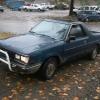
t-coup update! I'm one step closer YAY!

Featured Replies

So, I've got it passing idle emissions now, wich is difinataly an improvement, and a sign of hope. When it cruises, it still runs way rich once it cruises. I'm wondering if the mass airflow sensor has no spring, so it easily opens all the way, making the computer think it's breathing better, so it dumps to much fuel... Thats my next part to inspect. What fixed the idle emissions was the aac valve. old one was stuck. So I'm getting some where! I'm excited. Anyway, just throwing out an update incase someone was curious.:banana:

  • Author

I'm passing up that offer, I've done to much work to it, and like it to much:-p

Please sign in to comment

You will be able to leave a comment after signing in

Sign In Now

Account

Navigation

Search

Search

Configure browser push notifications

Chrome (Android)
  1. Tap the lock icon next to the address bar.
  2. Tap Permissions → Notifications.
  3. Adjust your preference.
Chrome (Desktop)
  1. Click the padlock icon in the address bar.
  2. Select Site settings.
  3. Find Notifications and adjust your preference.