September 2, 200322 yr alt.autos.subaru is the name of one newsgroup. If you use Outlook Express, click on messages, go down to newsgroups and click on it. Then page down to alt.autos.subaru and subscribe to it. No charge for that; it's usually a benefit from your ISP.
September 2, 200322 yr I noticed you are in Norfolk. I'm in Hampton. Do you know of any other Subaru nuts in the area and if there is a local Subaru club? Thanks. Ruppster
September 2, 200322 yr I use Outlook at home and Outlook Express at work, but couldn't find the newsgroup thing mentioned. So I just went to msn.com and did a search for alt.autos.subaru and found the site to subscribe.
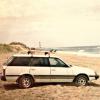
September 2, 200322 yr Author Rupster: Bushbrat is the local subie nut. He has a lifted Brat and a wagon which I believe he has also lifted. The brat is painted in desert camo. It is sweet. He lives in Portsmouth. I had a friend at the beach that had a killer 77 4wd wagon with an ea 82 and a dr 5 speed but that was 5 years ago. Most of my friends in VA that were into subes got tired of fixing them all the time. They complained about constantly fixing cv joints, or they just bought trucks and are enjoying the extra power.

Please sign in to comment
You will be able to leave a comment after signing in
Sign In Now