December 14, 200520 yr Could someone try to check out this car for me? I emailed the guy, but he tried to brush me off, saying he prefers to only deal with local people. (so, why post it on the internet then). Thanks
December 14, 200520 yr Author Thanks Jim. You'll have to email him through the address in the link I posted (click on the "this car" text in my first post).
December 14, 200520 yr I'm having no luck getting through on the site, I'm not good enough with these gadgets. You'll have to get me the address and phone number.
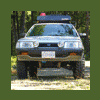
December 14, 200520 yr wow only 118k!?! and 5spd d/r tranny... that looks like a nice car, wish I could help you out. thats stupid if he doesnt want to show you the car, if he wants to sell it... doesnt matter where you're coming from if you show up in person with cash in hand.
December 14, 200520 yr if jim can't figure it out, i'll do it... gimmy a shout if you need me too... i'm pretty good at these gadgets...:-p
December 15, 200520 yr There was an '86 DR in last weeks Buy and Sell for $400 OBO. It's over in Surrey. I'm presuming that you need one that doesn't need work to get out to Nelson? Jim (604) 466-6860
December 15, 200520 yr Author Yah. I'd like a driver to use while this one is down. Standard, D/R, everything should work. (need the D/R to swap into my '94 at the end)

Please sign in to comment
You will be able to leave a comment after signing in
Sign In Now