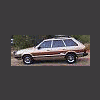
January 3, 200620 yr My 93 Loyale has just started running funny, it's fine at higher revs and seems normal but every time I come to a stop it idles badly and will most times stop within 8-10 seconds. I thought it was the dizzy, as i had the same thing on my 81 swagon and swapped dizzys and it went fine. So did that to the 93, with a hitachi that had been rebuilt and same problem. Thought then might be fuel problem but couldnt work out why this didn't show up at higher revs? Then disconected fuel line at carby and hose into bottle to see if fuel getting through, when engine cranked got a small amount but then stopped. Replaced fuel pump with JY pump, crank engine no fuel at all into bottle. Car not start at all I cannot hear any pump sound when I swich ignition on (was audible from meters away on the ea81 when ignition swithced on) There is voltage shows 12.8 at connectors when ignition on Both fuel pumps I tested by wiring to 12V source and they pumped fuel, is it possible they are just not delivering enough fuel despite still working? Is this the engine revolution sensor thingo Any help appreciated as I like this car and its annoying me - they usually so easy to fix:)

Please sign in to comment
You will be able to leave a comment after signing in
Sign In Now