Skip to content
View in the app

A better way to browse. Learn more.

Ultimate Subaru Message Board

A full-screen app on your home screen with push notifications, badges and more.

To install this app on iOS and iPadOS
  1. Tap the Share icon in Safari
  2. Scroll the menu and tap Add to Home Screen.
  3. Tap Add in the top-right corner.
To install this app on Android
  1. Tap the 3-dot menu (⋮) in the top-right corner of the browser.
  2. Tap Add to Home screen or Install app.
  3. Confirm by tapping Install.

Guage Cluster wiring question/problem...??

Featured Replies

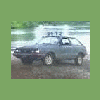
I'm putting my guage cluster back in my '86 hatch and thought I had all the wires right but there are two connectors on the left side of the cluster one connector is black with a solid black wire and a yellow wire with red stripe...and the other connector is blue with a solid blue wire and a solid white wire. From what I can tell there is only one connector that goes to either the blue or black connector but don't know which. I tested it once, turned on the head lights and the gas guage went up like I had a full tank...I know it is nearly empty so I turned it off...Any help or ideas would be much appreciated. ~~Lucas

Please sign in to comment

You will be able to leave a comment after signing in

Sign In Now

Account

Navigation

Search

Search

Configure browser push notifications

Chrome (Android)
  1. Tap the lock icon next to the address bar.
  2. Tap Permissions → Notifications.
  3. Adjust your preference.
Chrome (Desktop)
  1. Click the padlock icon in the address bar.
  2. Select Site settings.
  3. Find Notifications and adjust your preference.