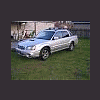
July 4, 200619 yr I was wondering where the fuel filter is located on my '06 Baja Turbo? Is it in the gas tank or mounted to gas tank, or is it under the hood somewhere? TIA for any reply. Spacinjason '06 Baja Turbo MT:burnout:
July 4, 200619 yr if its anything like the legacys its located in the engine compartment driver side. it is between the break fluid canister and the windshield fluid canister. is a cup looking thing with one fuel inlet and one outlet. in this picture it is silver but then again i dont know about the bajas exactly
July 4, 200619 yr It's in the tank...Service interval was printed as 30,000 miles, but that was in error. It's either 60K or 90K. But it is a real PITA to change. Subaru did not make it easy here...same for the newer OB's, Legacy's and Foresters. If you don't see it in the normal place it's been for over 15 yrs AND you have an 05 or newer Subaru, it's probably in the tank. Different models were moved at different times starting in 04 or 05.
July 5, 200619 yr Author Thanks for the replies.........I will check under the hood when it is light outside. It wouldn't surprise me if it was in the tank, My last rig was a Dakota, and it was in the tank. Spacinjason

Please sign in to comment
You will be able to leave a comment after signing in
Sign In Now