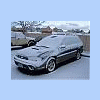
July 26, 200619 yr I got hit in the side of my outback, i need the drivers side doors, (both) and i dont have a clue where to look, please someone give me advice on where to find these, nationwide is ok, but i'm in seattle area. I would be ASTOUNDED if i found the sydney blue pearl color as that is my car, but totally rare and not counting on it! Thanks for all you guys continuous help! David see ya at wcss8!
July 26, 200619 yr How badely were u hit, any substancial damage other than the doors? O and check out shops with totalled vehicles, some may have exactly what ur looking for just may need to be painted.
July 26, 200619 yr I got hit in the side of my outback, i need the drivers side doors, (both) and i dont have a clue where to look, please someone give me advice on where to find these, nationwide is ok, but i'm in seattle area. I would be ASTOUNDED if i found the sydney blue pearl color as that is my car, but totally rare and not counting on it! Thanks for all you guys continuous help! David see ya at wcss8! Hello, This is a ways from you, but I found a cool salvage yard with late model Suabru Parts; the web site is PAMS Auto Parts (Minesota). Good Luck. John
July 26, 200619 yr search junkyards here: car-parts.com You can either pick local, or the one with lowest price

Please sign in to comment
You will be able to leave a comment after signing in
Sign In Now