Skip to content
View in the app

A better way to browse. Learn more.

Ultimate Subaru Message Board

A full-screen app on your home screen with push notifications, badges and more.

To install this app on iOS and iPadOS
  1. Tap the Share icon in Safari
  2. Scroll the menu and tap Add to Home Screen.
  3. Tap Add in the top-right corner.
To install this app on Android
  1. Tap the 3-dot menu (⋮) in the top-right corner of the browser.
  2. Tap Add to Home screen or Install app.
  3. Confirm by tapping Install.

Any matchbox style diecast ea81 models?

Featured Replies

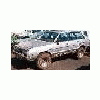
I know it's goofy, but I have diecase models of my other cars. I'd like to get a matchbox style ea81 wagon. It would be cool to have a hatch, too. Did anyone ever make them?

Mick has a page of toys available


Here's non- stomper stuff


http://www.ultimatesubaru.org/brats/toys/toys.html


Here's the Stompers


http://www.ultimatesubaru.org/brats/toys/stompers/stompers.html


I have a few diecast hotwheel size wrx's and even a legacy wagon, but no ea81 wagons. I have a bunch of 1/18th scale diecast Imprezas and WRXs rally and non.


I was eyeing one of my hatchback stompers, wondering if I could customize it to make it look like a wagon. . . we'll see what I can come up with.

Please sign in to comment

You will be able to leave a comment after signing in

Sign In Now

Account

Navigation

Search

Search

Configure browser push notifications

Chrome (Android)
  1. Tap the lock icon next to the address bar.
  2. Tap Permissions → Notifications.
  3. Adjust your preference.
Chrome (Desktop)
  1. Click the padlock icon in the address bar.
  2. Select Site settings.
  3. Find Notifications and adjust your preference.