September 13, 200619 yr http://i24.photobucket.com/albums/c34/beretta92d/Image002.jpg (leads to jeep trail) http://i24.photobucket.com/albums/c34/beretta92d/notsurewhereitgoes.jpg class 6 road continues up this road (class 6 road,goes to right.straight up is atv an bike trail) http://terraserver.microsoft.com/image.aspx?T=2&S=11&Z=19&X=763&Y=11931&W=1&qs=whitetall+road%7chooksett%7cnh%7c&Addr=Whitehall+Rd%2c+Hooksett%2c+NH+03106&ALon=-71.4364568&ALat=43.0462939 (small dotted line is jeep trail) http://terraserver.microsoft.com/image.aspx?T=2&S=11&Z=19&X=766&Y=11932&W=1&qs=whitetall+road%7chooksett%7cnh%7c&Addr=Whitehall+Rd%2c+Hooksett%2c+NH+03106&ALon=-71.4364568&ALat=43.0462939
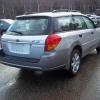
September 14, 200619 yr Author So let's see your roo on it more then likely sometime next week.91loyale wants to come join up as soon as his soob is safe.. Sure is pretty back there!Not terribly steep, but pretty. that was just the beginning of the trail.was mainly scouting it out as to if it was really a class 6 road or private.while scouting,i came across a house that's on the road leading to the trail and i stopped to ask a women in the yard as to weather or not it was a private road.(this is what she said)-"nope.it's just a class 6 road,but you might wanna be careful with your car"..i almost said-"no worries,it's a soob"

Please sign in to comment
You will be able to leave a comment after signing in
Sign In Now