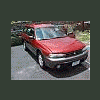
November 13, 200619 yr I need to replace the clutch pack at the rear of my '96 Outback transmission and was able to come across the dealer part number. So I contacted a few local dealers and gave them the part number; one dealer quoted me $144.00 for the part and another one $23.12. What's up with that. I had the dealer confirm that the part number matched the clutch pack that I was needing, sure enough its the right one. Does any one know why there was such a difference in price.
November 13, 200619 yr might want to ask them what the exact name is of the part their pricing you and see if those match up? maybe one price is price per clutch but there are actually multiple clutches involved so the other price is for a set of the same clutch? i haven't had to do one of these myself yet so i'm not familiar with how many clutches are needed, but there is more than one disc in there.
November 13, 200619 yr I'm not really familar with those parts myself but that does seem like a pretty drastic diffrence. On the other hand, in the northern VA area there are 4 dealers reasonably close to my house. I will sometimes call and check a few places for the price of parts I need and the diffrences has been as much as 100% before, so its always a good idea to call around if you can.

Please sign in to comment
You will be able to leave a comment after signing in
Sign In Now