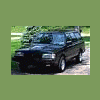
July 31, 200718 yr So I've been wanted to make the stereo a little better sounding in my wagon. I wasn't too keen on replacing the factory deck and give the neighborhood kids something to steal, they'd be nuts to steal a 14 year old subaru around here, but would think nothing of smashing a window out to take whats inside. Instead, I figured I'd upgrade the speakers and see how that would work out. Hit the ebay scouring for stuff and found some like new 2 way infinity's to replace the door speakers with, and best of all found a used kenwood woox subwoofer that fit very nicely under the passenger seat. With a little bottom umph that the door speakers never had, the old wagon sounds great now! very happy with my subaru radio on the cheap, Doug
August 1, 200718 yr To get more out of the speakers, thin along the lines of a small 5 channel amp. One channel per door speaker and one for the sub box. Could be well hidden uner the seats and with a littl ebit of wiring run from your stock stereo.
August 1, 200718 yr the stock speakers BLOW http://cgi.ebay.com/Boston-Acoustics-S65RC-6-Speaker-for-Honda-etc-NIB_W0QQitemZ160140778002QQihZ006QQcategoryZ18799QQssPageNameZWDVWQQrdZ1QQcmdZViewItem (im not suggesting ebay just that model) these fit the stock plastic speaker holders without mods and you could not possibly ask for a better sound.

Please sign in to comment
You will be able to leave a comment after signing in
Sign In Now