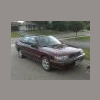
October 11, 200718 yr Ok so im looking at picking up a 1992 subaru legacy 2.2 turbo. Im not new to turbo's or subaru's for that matter. What is good as far as mods go on these things. How much boost will it be safe at stock with maybe an Intercooler. My daily driver/toy is a 1989 chrysler lebaron convertible 2.5 turbo with various mods and my brother drives a 98 subaru outback 5spd. Im picking this thing up as mainly a winter car /Backup car. Any help would be much apreciated. Thanks Brendan
October 11, 200718 yr post belongs in newer gen. sorry, i am legacy retarded, so i cant help. posting in the newer gen forum will yield better results.
October 11, 200718 yr I currently own three T-Legs they are special cars and yield good reliable power with a few mods. We here center more on the NA Legs in general. Please have a look around this forum They specialize in go fast Gen I, II Legs http://bbs.legacycentral.org/
October 11, 200718 yr Author Thanks guys. I have been sen't from forum to forum:-\ . I would just like to add you guys have some pretty wicked Rue's. Makes me wan't a loyal. Anyways you guys are by far the most polite in telling me it's the wrong forum. Well im off to yet another forum. Cheers Brendan

Please sign in to comment
You will be able to leave a comment after signing in
Sign In Now