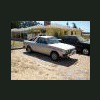
January 3, 200818 yr Ok this is a problem I really notice when it is cold outside. When I start my Brat up in the morning I let it warm up. It comes up to almost half on the temp gague. It gets the heater or defroster blowing nice and warm. But as soon as I start to drive down the road the temp gague starts to drop and the heater starts to blow cold. I am thinking thermostat. Any thoughts. Thanks, Richard.
January 3, 200818 yr Ok this is a problem I really notice when it is cold outside. When I start my Brat up in the morning I let it warm up. It comes up to almost half on the temp gague. It gets the heater or defroster blowing nice and warm. But as soon as I start to drive down the road the temp gague starts to drop and the heater starts to blow cold. I am thinking thermostat. Any thoughts. Thanks, Richard.Agreed; sounds like the thermostat is stuck open.
March 22, 200818 yr Author Ok, I finally got around to changing the thermostat today after I did the one in my 85 GL-10. I got a Subaru one for both. It shows that it is a 180 thermostat. The one I pulled out of the Brat said it was a 160. It looked ok. Not stuck open. Just wrong temp. Now the heater actually works pretty good and the temperature actually stays at operating temperature while I drive it.

Please sign in to comment
You will be able to leave a comment after signing in
Sign In Now