February 29, 200818 yr Yo dude I couldnt send you my latest pm, so Im posting it here instead: Ok, I have the lift done, so here's your pics before I tear it down to get it sandblasted: Enjoy, see ya this weekend (with my struts I hope )
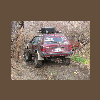
March 6, 200818 yr ok here is the reson i lost my job long story short wasent able to cover my shift when i couldent make it back from where i picked it up from. the lift is a 6 inch from bill omlin (thebeastidrive) he dose damn good work so check it out i will have up close pix of it later but here is a teaser http://www.ultimatesubaru.org/forum/showthread.php?t=85749
March 11, 200818 yr what's with that atv winch...... the cars weigh around 3k pounds, not to mention your supposed to use a winch that is twice the gvw for safety... especially after lift and tires you'll weigh even more. other than that it's looking good!
March 11, 200818 yr Author I do need an EA81 guinea pig, they appear to be pretty straight forward though when it comes to lifting
March 11, 200818 yr Author Is that what mine is gonna look like? Pretty much, that is 6 inches of lift on stock 13 inch rims and tires, I will have your lift ready to be shipped by the end of this week guaranteed, had a bit of a material shortage earlier.
March 15, 200818 yr here is a pic with bigger tires im going with 31s but have to get them out of storage first lol.
March 15, 200818 yr Author its going out on Tuesday, I'll have to take it in on monday and have it weighed, then I need to find a box or maybe 3 to package it, this stuff is heavy! I'm painting it today, I will have pics later if the weather permits.

Please sign in to comment
You will be able to leave a comment after signing in
Sign In Now