Skip to content
View in the app

A better way to browse. Learn more.

Ultimate Subaru Message Board

A full-screen app on your home screen with push notifications, badges and more.

To install this app on iOS and iPadOS
  1. Tap the Share icon in Safari
  2. Scroll the menu and tap Add to Home Screen.
  3. Tap Add in the top-right corner.
To install this app on Android
  1. Tap the 3-dot menu (⋮) in the top-right corner of the browser.
  2. Tap Add to Home screen or Install app.
  3. Confirm by tapping Install.

Hello fellow Subie lovers

Featured Replies

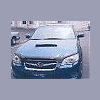
Hello.....I just joined. I have fallen in love with Subarus when I got my first one in 1999, which was a 2000 Outback wagon limited. That car was super reliable. I did everything possible with that car from off-roading, going to horse shows, to doing donuts. Sadly, it was traded in a few days ago. I got a '08 Legacy 2.5GT Limited sedan and I am still loving the Subies.


This is my 1st Subie


webview.jpg

welcome aboard! you're funny, one of the few people that joins when they buy a new subaru!

Please sign in to comment

You will be able to leave a comment after signing in

Sign In Now

Account

Navigation

Search

Search

Configure browser push notifications

Chrome (Android)
  1. Tap the lock icon next to the address bar.
  2. Tap Permissions → Notifications.
  3. Adjust your preference.
Chrome (Desktop)
  1. Click the padlock icon in the address bar.
  2. Select Site settings.
  3. Find Notifications and adjust your preference.