May 4, 200817 yr on a EA82 Turbo, Is the trans output shaft to the d.o.j. the only 25 spline point?????? or are the cv's to the hubs also 25 spline???????? And if its just at the d.o,j-trans, can I swap 23 spline d.o.j. cups onto my good (non clicking) turbo axles? thnx
May 4, 200817 yr the transmission side spline count (the stubby shaft side of the axle) is the only one that differs between turbo's and non. the hub sides are the same spline counts.
May 4, 200817 yr Author great, that will save a huge hassle on my 3.9 swap. gotta get rid of the rx trans now that im lifted. got one in a parts wagon. thnx
May 4, 200817 yr turbos with 3at automatics are 23 splines with the larger diameter DOJ. doj's are swappable.
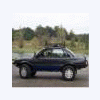
May 4, 200817 yr Author turbos with 3at automatics are 23 splines with the larger diameter DOJ. doj's are swappable. good info miles Does that go for the 4eat also? Do you remember NUG's RX? thats what were woking on. after the trans/diff swap, im going to grab a JDM takeout EJ22(LOW MILES) put an SJR weber adapter/disty. then it will have some low end grunt. I cant wait to swap,and convert to 3.9 lsd. oh boy,gear oil smell, mmmm-mmm:cool:

Please sign in to comment
You will be able to leave a comment after signing in
Sign In Now