July 16, 200817 yr Yes, I Know that This Shall be Posted in the "Subaru Stuff Wanted" and it is There Already since Long time Ago... http://www.ultimatesubaru.org/forum/showthread.php?t=80570 The Fact is That I Have Many Subie Parts for Trade that are Posted There with Pics, Descriptions, etc... Many of them are New, Still Packed in their Subaru Boxes... and mainly are Parts for EA71 and EA82 Subies. I Just Want the Rear Disc Brakes Complete Set, for the FWD Subaru Loyale Wagon... ... I`m Posting Here it, Because There are More People visiting here than There, and Also Some Ideas about that Swap Could be Posted Here. Any Help about a Rear Disc Brakes Swap on a 1985 FWD EA82 Loyale Wagon will be Greatly Appreciated. Also I Need -Due to the Lack here, of Good Quality Air Filters for Webers- an Air Filter Adaptor for Weber Carbs, that allows the Use of the EFI Filters... I Know I Saw it Somewhere... Anyone Knows the Link? Thanks, Best Regards. JesZeK
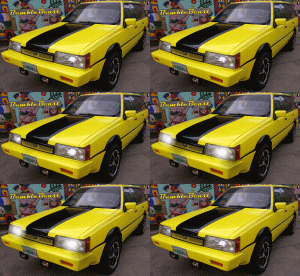
July 16, 200817 yr Author My Subie`s Rear Brakes` Drums where Damaged, I`ve sent `em to the Repair Shop and they "repaired" -was Oval Shaped- re-Roundind them, but now there needs to Use Oversized Brake Pads, and to Adjust the Brakes every Weekend... :-\ ... or the Piston will go Out `till Loose Brake Fluid... ... That`s one of the Reasons Why I Want to Swap there Discs. Other Reasons Might be Better Performance, no more Adjusting Issues, etc...

Please sign in to comment
You will be able to leave a comment after signing in
Sign In Now