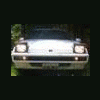
July 17, 200916 yr Hey guys, I just joined here a week or so ago and want to show the wagon I built! I started off with a FWD automatic GL wagon and tinted the windows. Then i bought a 4WD wagon parts car off of craigslist with a blown engine, and no title and tore it all apart (best $150 bucks ever spent) After I had a whole cars worth of parts laying around.. It was time to get to work! First off i raised up the car and dropped the front subframe, took off the engine and ditched the old worn out FWD tranny and stripped hubs. I then took the 4WD subframe, took off the engine and bolted my good engine too it. I got rid of the AC and welded a bolt in place of it so i could keep my alternator bracket in the same location. The new subframe also had manual steering too! how sweet! I went to my local auto parts store and got a belt that fit. then I put the 4WD front subframe/tranny in.. bolted up easily.. (like it should) Before.. After I then had to take out the pedals and replace them with the manual ones so I'd have a clutch, lol Now the car has the front end done.. time to work on the middle of the car.. Pretty strait forward.. but since this car was originally FWD there was no bracket or holes to hold up the driveshaft. I went to the parts car and cut out the bracket and welded it onto the project car, then bolted up the driveshaft. now.. this sucker is looking at me.... I started off by unbolting the rear subframe.. fuel pump, brakes, brake lines, and wires for the gas tank.. (again, really easy) I was close to putting in the 4WD gas tank and i realized the FWD and 4WD have the same tank! Too bad i already drained the FWD tank.. But anyway.. As i was bolting up the 4WD subframe, I noticed that there was no brackets to hold up the rear diff. I drilled some holes where they should be and cut a window behind the tires to put bolts threw, bolted the whole thing up and reconnected all the brake lines/wires/hoses and i was finished with the back! Now,i have to deal with wiring.. Ugh.. had to take off the drivers side fender and swapped the wires over.. simple.. just a pain in the butt.. I swapped dashes out so i wouldn't have the P-R-N-D-2-1 looking at me. Finished! had alot more power and a tad better millage since i got rid of all the emissions/AC/PS stuff.. I drove around with the stock carb for a few months and I came across a webber and adapter to fit my car.. pretty decent power increase.. Now im finished! Even the Subaru mechanics didn't believe this car was FWD and automatic till i showed them the brackets i welded on How awesome is that?
July 18, 200916 yr Author looks like all you need now is one of my lifts -Bill Would be really nice.. How much are you looking for? Maybee we can work something out
July 18, 200916 yr PM me, I got a few orders ahead of you, but I think you will like my prices when you compare to whats available... -Bill
July 18, 200916 yr Im in the middle of converting the sedamn from EA82 powered to being powered by an V65 out of a honda Saber.

Please sign in to comment
You will be able to leave a comment after signing in
Sign In Now