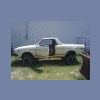
July 28, 200916 yr Hello my name is jayare and just recently purchased a 78 subaru brat with a 6" Lift for $1300.00, first off does anyone have any suggestions on a aftermarket wheel size and rim right now it has the stock rims. Also would like to know which model of weber carb to look for for best overall performance. will post pics as soon as i get them uploaded.
July 28, 200916 yr Check the sticky for more complete info. Peugot rims in 14 or 15" bolt up Weber 32/36
July 28, 200916 yr Chevy, Toyota, Isuzu, and Mistubishi six lug 15x6 or 15x7 will work also, but your gonna have to do some drilling on either the rim or the hubs to get the other two lugs to fit.
July 28, 200916 yr Author ok on another matter, I have noticed that not a lot of people have mods for the 78 brat so i dont know if you can answer this but when I am driving mine, when i get to just above 50 mph hour it feels like I have very little steering control what causes this effect? and what can i do to correct it, do I need to take it down to a four inch lift, Would larger tires and more weight help? Plz help would like to maintain the 6 inch lift because of its originality but do not want to have a really unsafe rig. any help is greatly appreciated I will prob have a ton of questions because i have another complete 78 brat i might try and restore when this project is done.

Please sign in to comment
You will be able to leave a comment after signing in
Sign In Now