Skip to content
View in the app

A better way to browse. Learn more.

Ultimate Subaru Message Board

A full-screen app on your home screen with push notifications, badges and more.

To install this app on iOS and iPadOS
  1. Tap the Share icon in Safari
  2. Scroll the menu and tap Add to Home Screen.
  3. Tap Add in the top-right corner.
To install this app on Android
  1. Tap the 3-dot menu (⋮) in the top-right corner of the browser.
  2. Tap Add to Home screen or Install app.
  3. Confirm by tapping Install.

lifty soobi gen1

Featured Replies

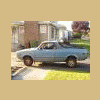
hi my name is Jonathan i have 2 gen1 brats and im maken me a little pisst off raly brat im looking for someone to help me with lift probs so i can fit 15 in pugot weels.Id like to meet someone in WA i live in spokane and am willing to drive any were in a 400 mile radios please please help.

i live in spokane, and can help.although not this weekend due to the offroad meet.send me a pm with your number and i will give you a call when i get back.cheers, brian

Brian, I talked to john today on the phone, he will be excited to talk to someone he knows about Subys. I would gladly give him a hand but its a little to far east for me.............:grin:


Jeff

Please sign in to comment

You will be able to leave a comment after signing in

Sign In Now

Account

Navigation

Search

Search

Configure browser push notifications

Chrome (Android)
  1. Tap the lock icon next to the address bar.
  2. Tap Permissions → Notifications.
  3. Adjust your preference.
Chrome (Desktop)
  1. Click the padlock icon in the address bar.
  2. Select Site settings.
  3. Find Notifications and adjust your preference.