Skip to content
View in the app

A better way to browse. Learn more.

Ultimate Subaru Message Board

A full-screen app on your home screen with push notifications, badges and more.

To install this app on iOS and iPadOS
  1. Tap the Share icon in Safari
  2. Scroll the menu and tap Add to Home Screen.
  3. Tap Add in the top-right corner.
To install this app on Android
  1. Tap the 3-dot menu (⋮) in the top-right corner of the browser.
  2. Tap Add to Home screen or Install app.
  3. Confirm by tapping Install.

Leaderboard

Popular Content

Showing content with the highest reputation on 12/19/23 in all areas

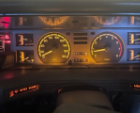
  1. The wagon is now my daily driver,such a fun drive My 9 year old daughter has already reserved it as her own,and I’m under strict instructions to keep it until she can get her licence in it at age 15.. After 15 years in a field and destined for the wrecker,it feels good to keep some 80’s history on the road. Weirdly its not the oldies that stop to chat at the petrol station,more so the sticker on the cap youth,that either have never seen one before or follow hoonigan;) Lots more to post here as continue to document,learn,tune,fettle,but out of data onsite for images,cheers Westy

Account

Navigation

Search

Search

Configure browser push notifications

Chrome (Android)
  1. Tap the lock icon next to the address bar.
  2. Tap Permissions → Notifications.
  3. Adjust your preference.
Chrome (Desktop)
  1. Click the padlock icon in the address bar.
  2. Select Site settings.
  3. Find Notifications and adjust your preference.