dlrallyx'r
Members
-
Joined
-
Last visited
Everything posted by dlrallyx'r
-
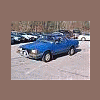
I just bought a set from the dealer for my 86 brat (working there helps) but even with that only got them down to 25 each. but they work good, and i think it only took 2 days to get. but when you need them, you need them. Mike
-
something to be said about round headlites.. just dont see them often enuf.. but still an 82 gl 4wd wagon beats all...! Mike
-
Gen 1 are a good looking old school rig, look mean, but I am and will always be a fan of the gen 2 stuff, problem is, here in New Hampshire, I havent seen a ea71 in years, and ea81's you cant even find in jyards anymore, the rust just takes them away. mike
-
Sounds to me like he's favoring the gen 2 style (not that i blame him, ) but to each his own eh? Mike
-
Thats quite a rig, what kinda tubing are you using? and what style tubing bender are you using? I have wanted to build something like that using all the junk laying around for a bit, maybe not that big, but same idea. very cool. post more pics soon! Mike
-
question for all... taking the trans outta the brat today, all went ok except for the speedo cable, what a good idea to use plastic threaded into aluminum. needless to say that i had to remove the cable from the speedo head to remove trans. So, what, if any, is the trick to removing the speedo cable,as now i not ony have to replace trans (3rd gear failed)but need to replace cable as well. Mike