MuddyFenders
Members
-
Joined
-
Last visited
-
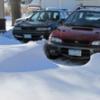
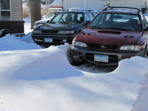
Okay, so I'll try to break this down as detailed as possible. I have a '97 Impreza Outback Sport that has seen better days. It is beat to Hell, and the wiring/interior is all messed up (previous owner on all fronts). It still runs like a champ though. So the other day I accidentally left the door ajar, and the battery died. When I recharged it, the security light was blinking. I did some research, and I haven't been able to get it to shut off no matter what I do. I don't have a remote, so the auto-lock option is a no go. I found the button under the dash, but it did nothing. Upon further examination I found that there was a fuse missing at one wire junction. I put a new fuse in, but now when I hold the button and turn the key to ON, the locks go a couple times, but the light keeps blinking. I've tried disconnecting the battery, turning the key to ON and reconnecting the battery. Doesn't work. I've tried turning the key to ACC multiple times as well. Pretty much everything I've seen as a possibility, I've tried. Nothing works. I haven't fully charged the battery, and I can't drive the vehicle right now, so the blinking light keeps draining the battery. So now I'm wondering, should I try to buy a replacement remote, and hope that works? Or, can I just remove the entire keyless entry module somehow, and just disable the whole system. The thing already doesn't have power locks, so I wont necessarily miss it. Also, could maybe cutting the cord to the light stop it from drawing power? Any help is appreciated. Thanks.