BirdMobile
Members
-
Joined
-
Last visited
Everything posted by BirdMobile
-
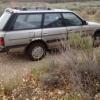
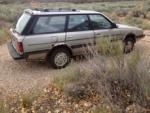
Hi everyone! I've been lurking here for months, finally signed up. Great forum! Just finished my first ever engine rebuild, an EA-82 from my 1987 GL Wagon (Carbed). Took me 2 painful months, but it was so much fun I can't wait to do another! I did everything but cranks/pistons - complete reseal/HG/oil relief springs/sensors/belts/etc. I chopped all EGR and other extra garbage, and installed a Weber and extra electric fan in place of the mechanical clutch fan. Since the rebuild, with the idea of keeping my "Birdmobile" running forever, I've purchased a 1985 GL Wagon to use for spare engine, drive train, and parts... and a 1986 GL-10 Turbo (body only, no engine) to use for a body (my '87 body is badly rusted, and I like the GL-10 moon roof and bumper style.) Has anyone here ever attempted a carburated motor/drive train into a GL-10 body transplant? I'm planning on keeping the GL-10 brake system and moonroof electrical system, but transplanting the '87 engine, drive train, dash, wiring harness, and interior seats over to the GL-10 body. Problem areas: GL-10 Digital Dash - it MUST go! Hate it. GL-10 Turbo Wiring Harness - Probably incompatible, will likely ditch it. GL-10 Moon Roof electrical - Be afraid. Very afraid. GL-10 Power Windows - Would prefer manual cranks from '87... can I transplant mechanism into GL-10 door frames? Anything else I'm forgetting? Thanks in advance, Proud "Birdmobile" Owner . .