kaszlarz
Members
-
Joined
-
Last visited
Everything posted by kaszlarz
-
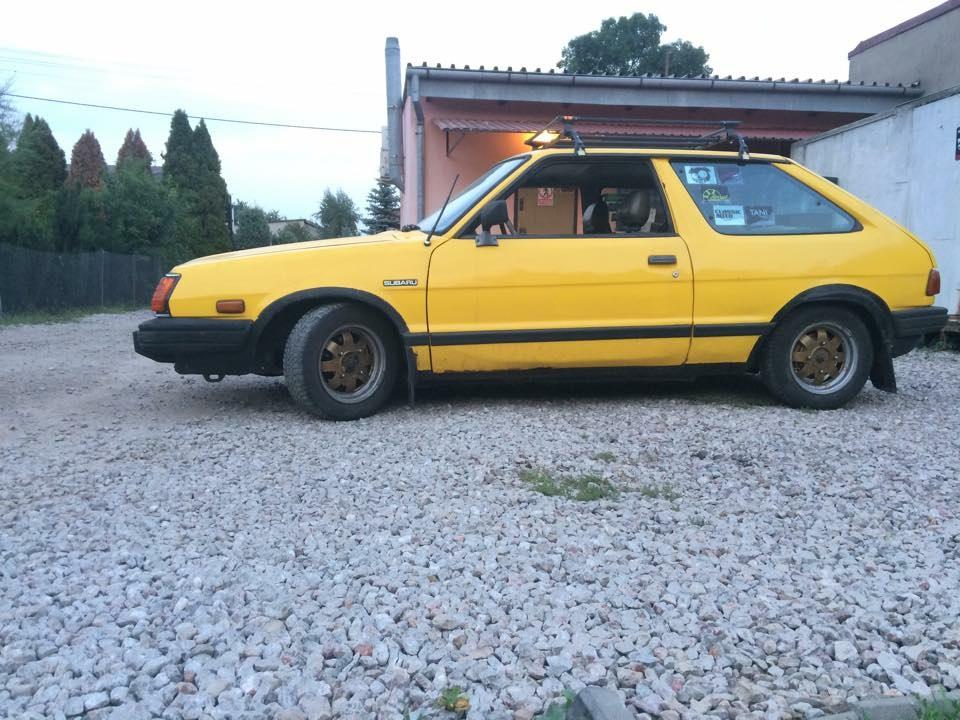
Wy fakeAE? Like @nick1208 said is rwd Hatch very similiar in look to toyota corolla from '80 I'm already converting EA81 from hitachi carb to semisequential standalone EMU. Injectors and throttle is from EJ22 phase 1 ECU is EasyEcu ver 3+ Wasted spark I've tune it with wideband o2 sensor. Trigger wheel is mounted. Some of pics: Engine pulled Clutch been slippy Trigger wheelBRAND: Subaru MODEL: 1800 GLF Leone 83' ENGINE: EA81 NA Intake system: custom intake to adopt throttle body from EJ22 + BLOS LPG EXHAUST catless ,and no restriction muffler ELECTRONICS: Electric mirrors, Lambda, an additional radiator fan switch TRANSMISSION: Manual 4 gears, conversion to RWD, differential LSD SUSPENSION: Front McPerson with springs from BMW E32, rear torsion bar with new mounting holes (for lowering) and shocks from VW T4 BRAKES: Stock BODY-KIT: no WHEELS / TYRES: Rims original with 4x140, tires 175 / 60R13 INSIDE: Velour brightly colored coffee CAR-AUDIO: Original Radio CD Speakers enough 2x with one Rema HiFi column OTHER: Installation of LPG BRC with cylindrical tank 35L located on the back. Aluminium fuel tank 25L Evaporator BRC AT90. BLOS PLANS: efi convert [video=youtube]Hello This is my Leone