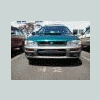
December 18, 200916 yr I recently bought my first Subie 1980 4wd DL wagon. I could not believe that im only the 2nd owner. With a little TLC it will be tearin up the mountains here in Oregon.
December 18, 200916 yr Tear up the mountain? Do you mean: on the paved twisty mountain passes? off-road? or all of the above :cool:? As you can tell, I'm also a new member.
December 18, 200916 yr is that the model that has the manual 4wd engagement? if so you will love it, I had an 80's model wagon several years ago and we had a deep snow that year and I was pushing thru 15" of snow with the front bumper in my driveway and that was with almost slick tires. it was not the prettyest car, but man it would drive thru anything.
December 18, 200916 yr Tear up the mountain? Do you mean: on the paved twisty mountain passes? off-road? or all of the above :cool:? As you can tell, I'm also a new member. I'll answer that one!! Around Pdx is logging country... one can bomb down gravel roads, spin the wheels on muddy ruts or find deep mires to test just what you can get through. Then an hours drive toward the coast and there are off road parks, where he can mix it up with dirt bikes, sand rails and fat tired modified american 4wd full sized rigs.

Please sign in to comment
You will be able to leave a comment after signing in
Sign In Now