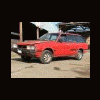
March 5, 201016 yr Lubed, lapped and loved for a trip to West Linn and visit with GD. My 11yr old daughter was, to my surprise, impressed with the sounds of her future ride Edited March 6, 201016 yr by asis
March 5, 201016 yr Author Very nice. Is that you speaking Italian? Lots of views on those vids! Ciao! Are you talking about the "related videos"? That not me, heh, I barely speak english :-\ but I am fairly fluent in Hillbilly
March 6, 201016 yr Lubed, lapped and loved for a trip to West Linn and visit with DR. Are you talking about the Brat, or yourself?
March 6, 201016 yr Author What do you have for an exhaust? That sounds...very mean. Other than 3" pipe, nothing special that I can tell. Just what it had when I got it. Only had it about 6 months and was first time I heard it from other than the drivers seat myself...
March 7, 201016 yr Are you talking about the "related videos"?That not me, heh, I barely speak english :-\ but I am fairly fluent in Hillbilly It's not Hillbilly, it's American. :banana:

Please sign in to comment
You will be able to leave a comment after signing in
Sign In Now