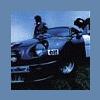
April 22, 201015 yr Well, I'm the new lucky owner of this car, an '86 Brat with a half-finished EJ22 swap from an '01 Impreza. http://www.ultimatesubaru.org/forum/showthread.php?t=110413 Engine and harness are from an '01 automatic, ECU is from an '00 manual car. Car is running the stock EA81 4-spd with the XT6 pressure plate. I have an ECU pinout diagram, and Numbchux' EJ swap guide handy. However, as far as I know this is the only OBD-II swap done yet (eek!) and I am kind of lost on a few different things: 1. How the heck do I hook up the tachometer and coolant temperature gauge? Everything else is wired up and working already, I could really use those two gauges; especially the tach, due to the lack of a VSS. 2. How does the vehicle speed sensor need to be wired up? Even with the fuel cut kicking in at like 3k, I can drive it anywhere I need to, but having access to the full rev range is obviously the ideal way to drive it. My roommate (the infamous milesfox) was saying something about ABS sensors and XT6 control arms, but I really don't know what the hell he meant. 3. Now, the dumb question: the odometer and trip meter are disconnected/not working. Suggestions? I GREATLY appreciate any help that you guys can give me. Even without a tach and fuel cut at 3k, this thing is a total blast to drive! Help me finish it so I can smash on WRXs at local autocrosses!
April 22, 201015 yr None of the solutions to those problems have anything at all to do with OBD-II vs. OBD-I. They should all be covered in the various write-up's and information availible here on the board. A few searches should be all that's needed to gather the answers to those simple questions. GD
April 23, 201015 yr yep, nothing new. tach and temp gauge are just signal wires. tach from the ECU (engine speed output), and temp straight from the engine. VSS should be in the speedo (I guess some EA81s don't have it....I don't know the pattern there). called a reed switch. does the speedo work? if the speedo works, and the odo doesn't, your gauge is F'ed. if none of it works, your cable is disconnected (in which case, the VSS won't work either).
April 23, 201015 yr 84 should have a VSS. take out the dash. On the back of the Speedometer is a black, 2 pole connector. It has a Yellow/red wire and a black wire. You can scavenge a mating connector or simply cut and splice the wires. Connect the black wire to a ground spot, and connect the yellow/red wire to the EJ harness VSS input wire. Tach should be a dark blue wire with a black stripe in the EJ harness. Hook it to the Yellow wire at the FPCU connector (EA fuel pump control) The FPCU connector is also a good place to pull switched power from.
April 24, 201015 yr Author Thanks a lot for the help, guys. Once this thunderstorm clears up I'm gonna head outside, hook this stuff up, and start stripping the harness. Now I just have to figure out where the hell to put the ECU.... Speedo does work; odo looks like it was hand-rolled to where it is now (149,999 on the verge of rolling to 150k). The odometer isn't really necessary, of course, but is nice for calculating mileage and such. We have 3 spare EA82 dashes in the basement, maybe I can hack in an RX trip computer once it's all together, haha. Also, thanks for the hint on the FPCU switched power. The car currently just has wires sloppily crammed into the fuse box for switched power! Edited April 24, 201015 yr by ShakotanBoogie

Please sign in to comment
You will be able to leave a comment after signing in
Sign In Now