May 1, 201114 yr bheinen74 is right. Well, we're both right. I got under my brat and the push bar mounts up to the crossmember - so, i'd recommend finding those bolts!
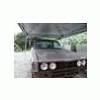
May 16, 201114 yr Author Recently did some more work cutting out the cancer in the front. it's still jacked up, but I don't want to cut out everything because the structural integrity may be lost. I'm just waiting on some free time to get some square tubing and weld it all back together... and I do have the cross member bolts! they were in a ziplock baggie marked "pushbar/bumper" WE ARE GOLDEN!!! Cut out the decomposing battery box, gonna weld up another.. Day one cutting Day two cutting and RUST MORT Under the radiator, I'm not trying to cut out everything, but I may have to do a bit more work.. Opinions?
May 21, 201114 yr Author Started fixin up all that rust. Hasn't been welded yet because i do not possess a welder. I'm going to weld it all up next week, and add some more sheet to make it look more OEM. Let me know what you think... some 2x1.5" and 3x1" tubing

Please sign in to comment
You will be able to leave a comment after signing in
Sign In Now