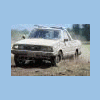
June 8, 201015 yr This should probably be in Meet 'n' Greet, but I'm putting it here because it's about old Subarus. I saw a red, lifted, EA82 sedan in the Albertson's parking lot in Hillsboro this morning. I parked my Brat next to it. Who owns it, and what engine/exhaust combo was in there? It sounded good when it drove away. I drove away shortly after, and my exhaust sounded more like it was farting bees or something:lol: Jacob
June 8, 201015 yr I drove away shortly after, and my exhaust sounded more like it was farting bees or something:lol: Jacob But I am betting your's is faster GD
June 8, 201015 yr Author But I am betting your's is faster GD Perhaps, but I think I may have seen an EJ exhaust manifold under there... Maybe I should get some cams and EM just to make sure:) Jacob
June 8, 201015 yr perhaps, but i think i may have seen an ej exhaust manifold under there... Maybe i should get some cams and em just to make sure:) jacob yes!
June 9, 201015 yr Author yes! I'll stop by Cobb Tuning Surgeline tomorrow and see if they can hook me up with some cams:lol::lol: Jacob
June 9, 201015 yr Good luck with that! Call me when that fails! I am not sure if they even remember that motor any more.

Please sign in to comment
You will be able to leave a comment after signing in
Sign In Now