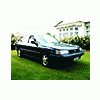
August 27, 201015 yr So I just bought this bumper for my 89' Legacy sedan.... What is it off? I've never seen one like this on a first gen GT/RS before - it kind of looks like a second gen, but I've never seen one exactly like it, and I'm pretty sure the fenders don't line up on both. But that's obviously a first gen Legacy.. Is this a standard Subaru bumper? Or is it an aftermarket piece? (It's getting painted blue before it goes on the car, don't worry )
August 27, 201015 yr could be gen 1, but 92-94, they were slightly less angular, looks similar to my front, its a 94.
August 27, 201015 yr It looks a lot like a mid to late 90s legacy bumper. But which trim I don't know. The part where it meets the fenders isn't right, unless it has been trimmed to fit your car? And the lower grille doesn't look right either. Ahh, just saw you're in NZ. Probably one of those differences between markets. I like it though if you can find some headlights that match the curve of the bumper.
August 27, 201015 yr 90-94 had the black trim bumper with chrome inserts (just like on the side doors, front fenders, and rear bumper) I think its a 95+ they did not not chrome inserts or black trim peice

Please sign in to comment
You will be able to leave a comment after signing in
Sign In Now