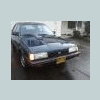
January 11, 201115 yr Okay, Im sure its possible, but how is the question. Im going to get my corner lights painted like Spencers (OBK25XT) because his look friggin sweet But onto my question. I want the lights be illuminated all the time when the driving lights/headlights are on, like they are currently... BUT I want them to flash when the turn signals flash. Not at the same time, but alternating with each flash of the turn signals. Hope that makes sense... How do I wire this up? Which bulb will I use (obviously a two stage bulb) Sorry for not using technical terms, not sure which terms would be correct... Vehicle: 1986 Subaru GL Sedan.
January 11, 201115 yr Yes, it can be done with only a single filament bulb and two relays. You need a normally closed relay to power it so it's on all the time. You take the second relay hooked to the turn signal output and use it to control the main relay. Actually, I believe you can get a DPDT NC relay and just do it with one.... If you want a schematic, PM me and I'll draw one up. Addendum.... Now that I think about it, it could be done with one relay as long as it was a TPDT.... Edited January 11, 201115 yr by skishop69
January 11, 201115 yr Yes, use a DPDT relay and sire the parking lights through the always-on terminal. Then switch the relay with the power going to the signal light so that when the blinker is on it cuts out the parking light and visa versa.

Please sign in to comment
You will be able to leave a comment after signing in
Sign In Now