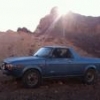
May 9, 201114 yr I put the jump seat out of the 81 in the Baja not bolted in mind you just to see how it would look. The kid loved it:banana:What do you think? Please don't respond with the safety issue about children in the back ect. These will never be used on highway. Edited May 9, 201114 yr by ironworkerboomer cant spell
May 9, 201114 yr Author Not legal but when I'm at home we cruz the logging roads to fishing spots the kids ride in the back all the time. Salmon Idaho is a very little town!
May 9, 201114 yr Your town in Idaho has 3000 more people than my town has. We don't have a gas station, just a post office, volunteer fire dept, and a Bar, no stoplights, no school, no grocery no convenient store.
May 9, 201114 yr Author Your town in Idaho has 3000 more people than my town has. We don't have a gas station, just a post office, volunteer fire dept, and a Bar, no stoplights, no school, no grocery no convenient store. A bar and no stoplights, now that's a little town:lol: I love the little towns as long as your not being absolutely stupid everyone just leaves you alone. I have the privilege of being there when not at work.

Please sign in to comment
You will be able to leave a comment after signing in
Sign In Now