Skip to content
View in the app

A better way to browse. Learn more.

Ultimate Subaru Message Board

A full-screen app on your home screen with push notifications, badges and more.

To install this app on iOS and iPadOS
  1. Tap the Share icon in Safari
  2. Scroll the menu and tap Add to Home Screen.
  3. Tap Add in the top-right corner.
To install this app on Android
  1. Tap the 3-dot menu (⋮) in the top-right corner of the browser.
  2. Tap Add to Home screen or Install app.
  3. Confirm by tapping Install.

new member of the family...

Featured Replies

close family friend replaced this with a brand new BMW so my wife and I took it off her hands as our new kid hauler. it needs the serpentine belt tensioner bearings replaced and some new tires and that's it. one owner, 125k of highway miles from being driven from portland to ashland almost weekly.


Hers:


IMG_1324.jpg


His:


IMG_1252.jpg

  • Author

your eyes do not deceive you :)


ive had the car for 7 years and when someone changed lanes into me, i asked the body shop to install the LGT bumper instead to change the look up a bit. i put on the LGT snowflake wheels and JDM clear and red tail lights and I sure dig it. changes things enough to make it not like like every green outback here in the PNW.

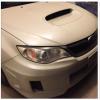
 

IMG_0367.jpg


IMG_1231.jpg

Please sign in to comment

You will be able to leave a comment after signing in

Sign In Now

Account

Navigation

Search

Search

Configure browser push notifications

Chrome (Android)
  1. Tap the lock icon next to the address bar.
  2. Tap Permissions → Notifications.
  3. Adjust your preference.
Chrome (Desktop)
  1. Click the padlock icon in the address bar.
  2. Select Site settings.
  3. Find Notifications and adjust your preference.