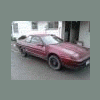
February 27, 201214 yr I just got an 88 xt6 and was wondering if the power steering was recalled that year
February 27, 201214 yr I dont think it was a recall, but there was a fix/remedy for something dealing with the steering (jumper wire from plug to unit). Doing a search over on the XT forum should get results. http://subaruxt.com/forum/viewforum.php
February 28, 201214 yr Author Yeah i looked into it at a dealership and it already had the service done
February 28, 201214 yr Here's a Cool Link to find any recalls on any vehicle: http://www.alldatadiy.com/recalls/index.html
February 28, 201214 yr Yes, there was a recall but no, you're car is now too old for it to be done. The symptoms are the steering light coming on randomly and loss of steering assist. The recall is to replace the steering signal controller, power controller and a couple harness adapters for them. The recall lasted for 20 years and I found out my '89 hadn't been done but when I called SOA, they couldn't locate anymore of the recall kits, even though I believe they are required to fix it. I'm just trying to find the parts on another vehicle so I can do the recall on it myself but haven't had any luck yet...
February 29, 201214 yr usually on these if your having troubles with the steering, a new set of brushes for the electric motor are needed. they are pretty easy to do, and there is a great write up, with pictures, in the tech info thread on subaruxt.com/forum they even have the subaru part numbers for the brushes you need.
March 1, 201214 yr Author Is the reservoir for the master cylinder the same as an ea82? I need to replace just the reservoir and reuse the master cylinder... and how easy is it to remove the reservoir from the master???
March 2, 201214 yr Don't see why it would be. It should be a tight fit using a rubber grommet which will probably be unusable once you pull it out. Sometimes they can be reused but with age, they can become fragile.
March 2, 201214 yr Author So i tried that... and it worked good so far. the gromet wasn't too dried or brittle. and i almost got it running

Please sign in to comment
You will be able to leave a comment after signing in
Sign In Now