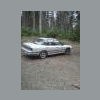
June 28, 201213 yr i have my 91 legacy sofar we have chaned the O2 sensor a new tps and yeah put a grill and spoiler off a 92 nissan maxima and am moding more parts off it to fit
July 16, 201213 yr Author ok well now ive got an ea81 logo on the grill and i got the mud flaps on fromthe maixima
July 20, 201213 yr yup, we pulled it off a 92 maxima i was scrapping (front clip donor). it now has a soob emlem from an 83 gl on it:cool: MOAR PICS OF THE LAXIMA!!!!
July 20, 201213 yr as opposed to the rest of that poor little car. its seen better days, but the best are yet to come. hooptastic.
January 14, 201313 yr Author so i got big plans for friday night after work i am doing an oil change and fuel filter along with hood pins and a muffler followed by a custom bumper and all will look nice with my 55watt halogen fogs and new amber yellow led headlights i get this week oh and gonna amber tint the fogs
May 24, 201312 yr Author well amber led lights didnt work and havent done the bumper yet but today i did put in my 4th alt the last 2 crapped out the 1st in 3 days and this one in 6 months thank god for lifetime warrenties

Please sign in to comment
You will be able to leave a comment after signing in
Sign In Now