August 5, 201213 yr The past few days have been hot for portland and my 88 gl-10 has been running pretty hot and today it broke into te red zone on the temp gauge from just driving for 30 minutes in 100 degree weather. It also runs very hot if i turn AC on. Any ideas?
August 5, 201213 yr Just went through it last week. Aside from the obvious, low coolant, bad thermostat, fan not working.....go with the radiator. $49 on eBay. http://www.ultimatesubaru.org/forum/showthread.php?t=134948
August 5, 201213 yr Overheating at highway speed or while in traffic are two different diagnosis. Fan, clutch fan or fan switch vs head gasket, thermostat, etc.
August 5, 201213 yr Author Its at highway speeds, havent had much of a chance to look but i know my coolant is at a normal level, i think i might be having problems with my fan
August 5, 201213 yr Take a vacume gage and hook it up to a vac port on the intake manifold. One easy to get to is on the passenger side near where the bolts are for the intake. It supplies vac for the heater controls and such. You should see 20/21" vac and steady. If it's 15" or so, fluctuating and such, you probably have a blown headgasket. Doug
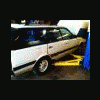
August 11, 201213 yr Author So i took a look at my radiator and it looked pretty bad so i decided to just go ahead and buy a new radiator and thermostat. Im currently removing the old radiator and it looks like a pretty tight fit to get it out of the car, do i need to remove any part of the bumper or should i take out the fan or something?
August 11, 201213 yr Author do you have to take it out through the bottom or can it come out of the top?

Please sign in to comment
You will be able to leave a comment after signing in
Sign In Now