Skip to content
View in the app

A better way to browse. Learn more.

Ultimate Subaru Message Board

A full-screen app on your home screen with push notifications, badges and more.

To install this app on iOS and iPadOS
  1. Tap the Share icon in Safari
  2. Scroll the menu and tap Add to Home Screen.
  3. Tap Add in the top-right corner.
To install this app on Android
  1. Tap the 3-dot menu (⋮) in the top-right corner of the browser.
  2. Tap Add to Home screen or Install app.
  3. Confirm by tapping Install.

New Mmember to USMB

Featured Replies

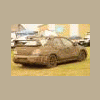
I'm Geoff Goings, been in the Subie community since mid 90's. I own an 06' Sti it's being built for Rally and Mud.


It's painted flat black with white accents, if you were at WCSS you probably saw it in the mud pit or car show. Basic mods short ram by prodrive, Turbo xs top mount, 3in downpipe and exhaust by prodrive, cobb accessport.


Live in lakewood after I left the Army after 8 great years.


The car has begun the process of a 5-8year build, on the inside when complete it will resemble a Group N car from the 2004-2008 WRC cars used by Subaru. On the outside the possibilities are endless.

Welcome!!! Glad to see you joined!!!!!


Jeff

Please sign in to comment

You will be able to leave a comment after signing in

Sign In Now

Account

Navigation

Search

Search

Configure browser push notifications

Chrome (Android)
  1. Tap the lock icon next to the address bar.
  2. Tap Permissions → Notifications.
  3. Adjust your preference.
Chrome (Desktop)
  1. Click the padlock icon in the address bar.
  2. Select Site settings.
  3. Find Notifications and adjust your preference.