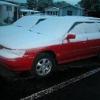
October 5, 201213 yr My 92 Legacy wagon has an issue with the clutch pedal sticking to the floor when the weather is cold. After driving it a couple of miles it works fine. The clutch has about 7K miles on it. It has always given me problems since having it done. I keep adjusting the cable and it works for a while and then acts up again. It hasn't been as bad after I disconnected the hill holder.
October 9, 201213 yr Huh...no responses.... My .02 is the cable is worn out and is stretched...that's why adjusting helps. A new cable isn't that expensive or hard to replace, IIRC. I put in a new one when I did my AT>>5-speed swap on my '90 Legacy. GL, TD
October 9, 201213 yr Is it rubbing our routed the wrong way? The old 80's Subaru cars you could route the cable on the steering linkage and have it rub thru very quickly. I think the cable or the hill holder are suspect here.
October 10, 201213 yr Author I'm going to replace the clutch cable when I get a chance, there is some squeeking noise when I step on the clutch pedal. It would be nice to start in 1st gear and not feel like I'm popping the clutch.
October 10, 201213 yr Clutch cable first. Its cheap and.takes ten minutes to.change. if that dont.fix.it check the throwout bearing

Please sign in to comment
You will be able to leave a comment after signing in
Sign In Now