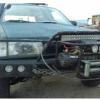
November 3, 201213 yr Author All pics if the fenders so far http://m.flickr.com/#/photos/11391300@N06/ Edited November 3, 201213 yr by ferp420
November 4, 201213 yr Nice work, I used to patch surfboards all the time.I like fiberglass, unless it gets hit by a tree.or road debris, or a shopping cart, or your buddies dumb rump roast....(when he leans on it) cheers
November 12, 201213 yr Author Nice work, I used to patch surfboards all the time.I like fiberglass, unless it gets hit by a tree.or road debris, or a shopping cart, or your buddies dumb rump roast....(when he leans on it) cheers thanks i love fiberglass and surfing and i still repair my own boards question on the back should the flairs go from the front of the back door and to the back of the car or should i use the same pattern i used on the front and end mid door and quarter pannels
November 12, 201213 yr I would use the same pattern as the front.Consistency seems to have a better look.Of course it depends on if you were considering a different offset rear wheel for MORE flair or not....:-p cheers Show the front painted!!!
November 12, 201213 yr Author it's gonna be a while before I'm ready for paint I need 3 sets of these so I'm going to make a mold soon as I get the shapes right I just thought the body work part would be easier if the fiberglass panels ended up at the edge of the original body panels but you're right it would probably look better if they're all the same size

Please sign in to comment
You will be able to leave a comment after signing in
Sign In Now