January 30, 201313 yr Worked on getting the dashboard out today. I unbolted each end and from the steering column. It is loose. What/where else do I have to disconnect as far as bolts?
January 30, 201313 yr I think there are a few bolts up by the windshield. Maybe in/around the defrost vents. Also, take pics of your dash as you disassemble it. Close-ups of everything. Especially of where and how the plug harness's exit the dash. It will make a handy reference when you are re-installing.
January 30, 201313 yr Yep, 3 bolts under the defroster vents. There is also a cable for the vent in the upper center of the dash that needs to be dealt with. Been a few years since I pulled one, not real sure on how that cable is detached at the moment.
January 31, 201313 yr Author markjw-Good advice but I won't be the one dealing with installing. Selling the dash. It's a really tight fight between the windshield and the defroster vents. This ought to be interesting... Thanks guys.
January 31, 201313 yr Well, you didn't specified on which car (Year / Model) are you Working on, but I assume that it is a Brat, isn't it? Because if you're asking about the EA82 I have a Writeup, plenty of Photos, explaining the procedure. Kind Regards.
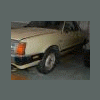
February 1, 201313 yr Author Dashboard is out. It was actually pretty straight forward. Just kept lightly tugging on it and searching for what was holding it up. Did not cut any wires or cables.

Please sign in to comment
You will be able to leave a comment after signing in
Sign In Now