August 16, 201312 yr Author Sooooo I am feeling pretty Un-savy right about now.... How do y'all get photos to paste into your 'replies' full size? I see photo, photo, photo, comment, photo.. Etc. I'm working with my Ipad and all i've figured out is 'attachments'.... They don't quite tell the story the same.... Any ideas? Do i have to use my desktop computer and just paste the photos in?
August 17, 201312 yr A lot of people use photo bucket but I just copy and paste into the message box.
August 17, 201312 yr Author Thanks Timber! I should try my desktop then for sure, I tried to do that copy and paste tactic with phone and iPad and couldn't make it work.
August 18, 201312 yr oh ya its a different ball game with a mobile device! I never post from my phone because it types every other word in CAP's. I have no idea why lol
August 20, 201312 yr Hey and welcome. There is a photobucket app. http://photobucket.com/mobile. Once you upload pics there you can copy the "image code" and paste as so . . .

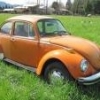
Please sign in to comment
You will be able to leave a comment after signing in
Sign In Now