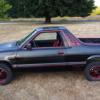
August 29, 201312 yr http://www.ultimatesubaru.org/forum/topic/123124-any-interest-oem-ea-radio-ponderings/page-2 Ok, I just installed this mod, and I'm having some problems with it. First when I plug in my Ipod the FM doesn't shut off. This is not a big problem as I found I can just change to a non existent station FM/AM and drown the slight static out with music. The big problem is that the music sounds good, but you can barely hear the voices. It doesn't matter if the treble is up or down, same problem. It's not a problem with the Ipod, I checked it with my head phones. I think it might be a problem with the jack, but the only wires that it has is Right, Left and Ground. This is on a 87 Brat Any Ideas?
August 29, 201312 yr Author I think I'm gonna pick up a new jack and play around with the wire configuration in a couple days.
August 29, 201312 yr What you described... Sounds like... A Bizzaro symptom. I'm leaning towards more of a problem with the unit itself, versus wiring or otherwise. You plug your iPod in, the radio doesn't shut off? Is it supposed to shut off? Are there controls to select various inputs? I'm confused. If you can't hear the voices, but the music sounds good... Wait, huh? Does the music, actually sound good? Or is it actually... sub-par? Do yourself a favor, get a new head unit. Avoid this bizzare problem(s) Alternatively, REWIRE.
August 29, 201312 yr There is always going to be a small bit of noise from the FM station that will bleed through. It is very little though. Best you can do is minimize it. Thats as simple as lowering the volume on the headunit, increase the gain (volume) on the MP3 player, then adjust the volume from there using the headunit. But it sounds like you have other issues, if the levels on from your MP3 player are not coming through correctly.
August 29, 201312 yr Sounds like a bad connection somewhere. This usually happens to me when using my fm transmitter and the 3,5mm plug isn't sitting correctly in my player. Music sounds normal but any vocals or voices are sounding like coming from a 100m away from tunnel I've also had some problems with new never used 3.5mm connectors that does not fit into some devices. It's kind of same effect like the 3,5mm connector isn't perfectly in (like 1mm or so loose from the jack). But the first thing to do is to check your connections and go on from there.
August 29, 201312 yr Author Sounds like a bad connection somewhere. This usually happens to me when using my fm transmitter and the 3,5mm plug isn't sitting correctly in my player. Music sounds normal but any vocals or voices are sounding like coming from a 100m away from tunnel I've also had some problems with new never used 3.5mm connectors that does not fit into some devices. It's kind of same effect like the 3,5mm connector isn't perfectly in (like 1mm or so loose from the jack). But the first thing to do is to check your connections and go on from there. Thanks, that reminds me of the problem I had when building a CMoy amp. It was doing the same thing my car is doing now. Turned out the connector didn't fit properly and I had to pull it out a touch to make everything line up. I knew I'd had this problem before, just couldn't remember when or how I fixed it. Thanks again
August 29, 201312 yr Author Yup, that was the problem. May have to sand the dash down. The plug-in comes from the back of the dash and isn't quite flush. I also grabbed the 10 from my truck. Hook up the amp tomorrow. 2 6x9s and a 10 for the brat.

Please sign in to comment
You will be able to leave a comment after signing in
Sign In Now