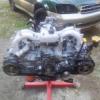
October 1, 201312 yr Tearing down a 2002 ej251 to drop into a 2000 outback and noticed the L rear cam seal doesn't appear to be seated properly. There isn't evidence of a huge leak but I'd like to fix properly. Tap it square with a socket? Replace? What do you think. thanks!
October 1, 201312 yr Not sure I would bother with it as they don't generally leak. But they're only like $4 at the dealer so if you do anything with it just replace it. Trying to reseat it may damage it and make it leak.
October 2, 201312 yr that does not qualify as a leak in my book. leave it. lots of other stuff will give you problems before that does. besides, it could be the valve cover gasket, maybe. Edited October 2, 201312 yr by johnceggleston
October 2, 201312 yr i don't notice anything wrong, those don't ever really fail or pose issues. i don't recalling ever seeing it personally or on the forum. that seal was recently mentioned like last week by a guy wanting to pull it so he can see if he can install a distributor at that point - that thread has some responses on replacing that seal. otherwise it's not ever done...it's more of a plug than a seal maybe? there's no rotating part passing through it. doubtful it will ever leak, yours would be like the first.

Please sign in to comment
You will be able to leave a comment after signing in
Sign In Now