Skip to content
View in the app

A better way to browse. Learn more.

Ultimate Subaru Message Board

A full-screen app on your home screen with push notifications, badges and more.

To install this app on iOS and iPadOS
  1. Tap the Share icon in Safari
  2. Scroll the menu and tap Add to Home Screen.
  3. Tap Add in the top-right corner.
To install this app on Android
  1. Tap the 3-dot menu (⋮) in the top-right corner of the browser.
  2. Tap Add to Home screen or Install app.
  3. Confirm by tapping Install.

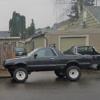
1980 ea71 hatchback needs a good home (Portland, OR)

Featured Replies

bought it dont need it,

its got some rust on it's drivers quarter panel
only 115,00 on it's ea71 engine
4x4 trans (single range) but the rear passengers side wont engage with the 4x4
runs and drives but has some dirt in the carb which makes it so you have to rev it to keep her going
 

  • 2 weeks later...
  • Author

i bought it for 600 and was trying to get that out of it but im flexible

  • 3 weeks later...
  • Author

im willing to go down to 300

send me some pics, i could be very interesting as long as its drivable and in good shape overall.


I can meet you to take a look as well, I'm by Vancouver.  ill pm you my phone contact if you wish to go that route.

  • Author

I got a guy coming to look at it on Monday but if he doesn't want it I will post some pics

I would LOVE to have it.. but getting it back home over here would be a thing.

  • 2 weeks later...

Please sign in to comment

You will be able to leave a comment after signing in

Sign In Now

Account

Navigation

Search

Search

Configure browser push notifications

Chrome (Android)
  1. Tap the lock icon next to the address bar.
  2. Tap Permissions → Notifications.
  3. Adjust your preference.
Chrome (Desktop)
  1. Click the padlock icon in the address bar.
  2. Select Site settings.
  3. Find Notifications and adjust your preference.